Tasks
From the sidebar, you can list the tasks assigned to you or created by you, by clicking on the Tasks menu item.
Kit level tasks
Creating a task
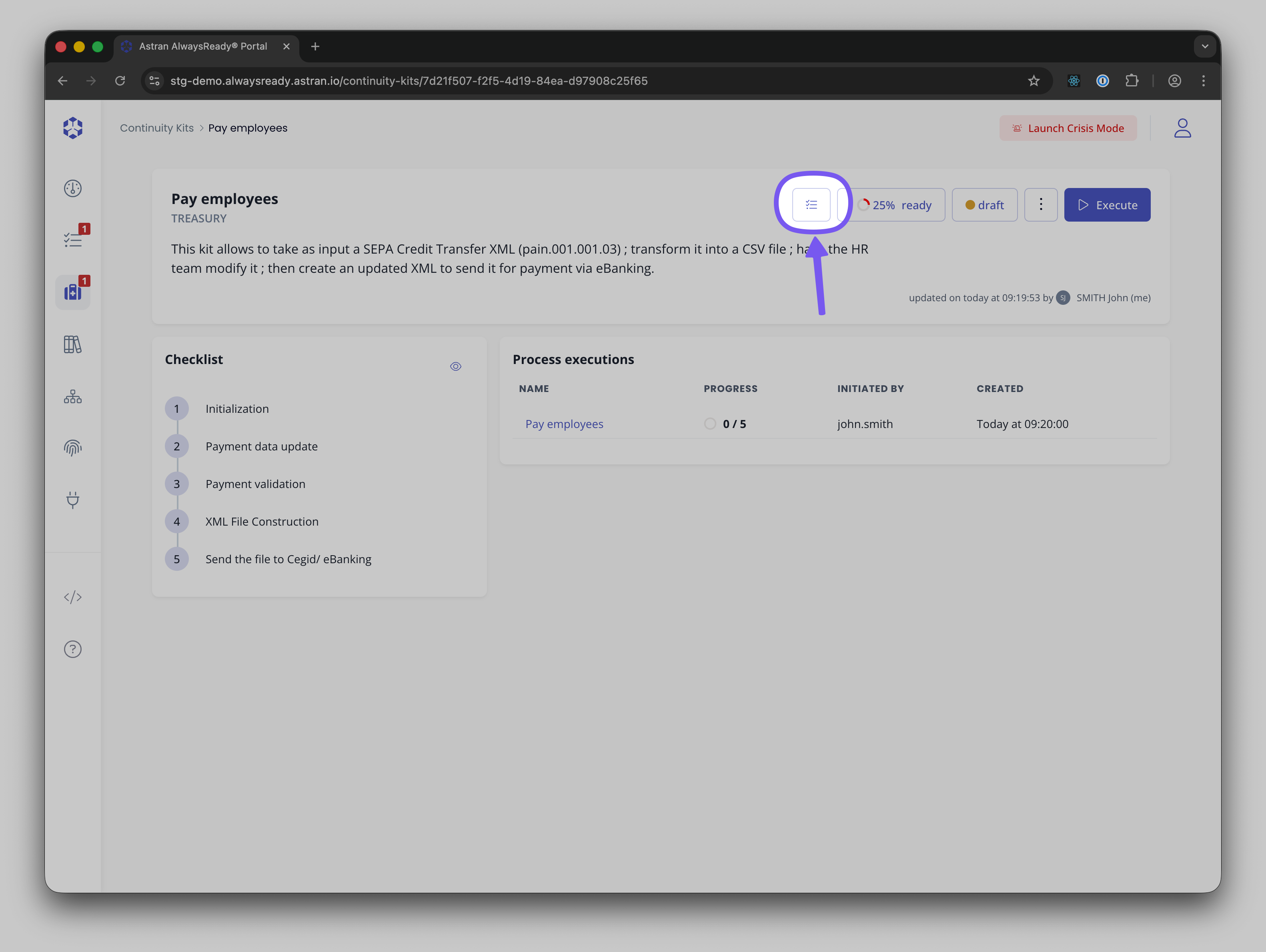
Tasks can be created from a kit, by clicking on the "Task" button then Create Task
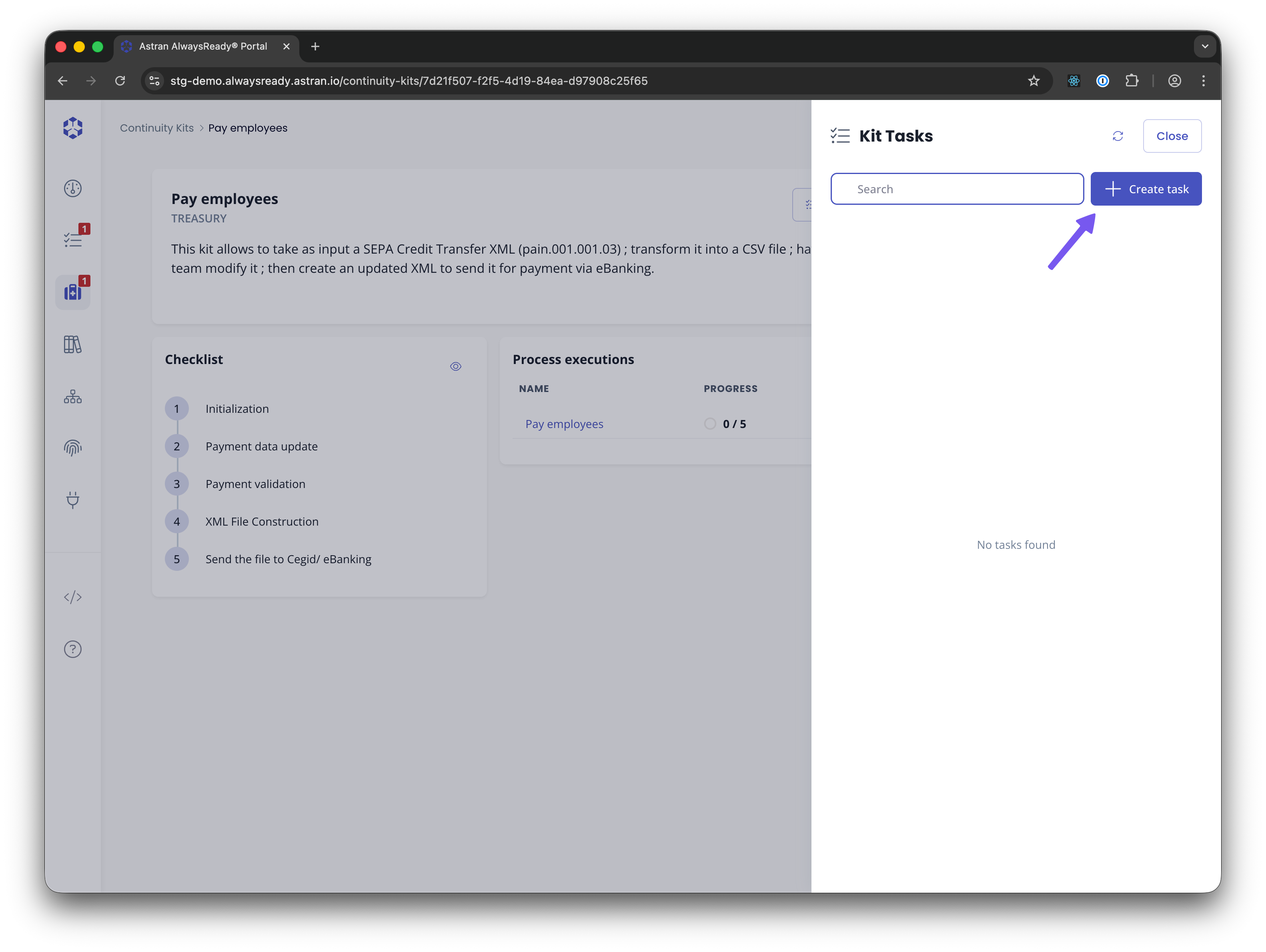
A drawer will appear to list tasks associated to the kit.
You can then click on "Create task" and then select the assignee, target date and enter details of the task.
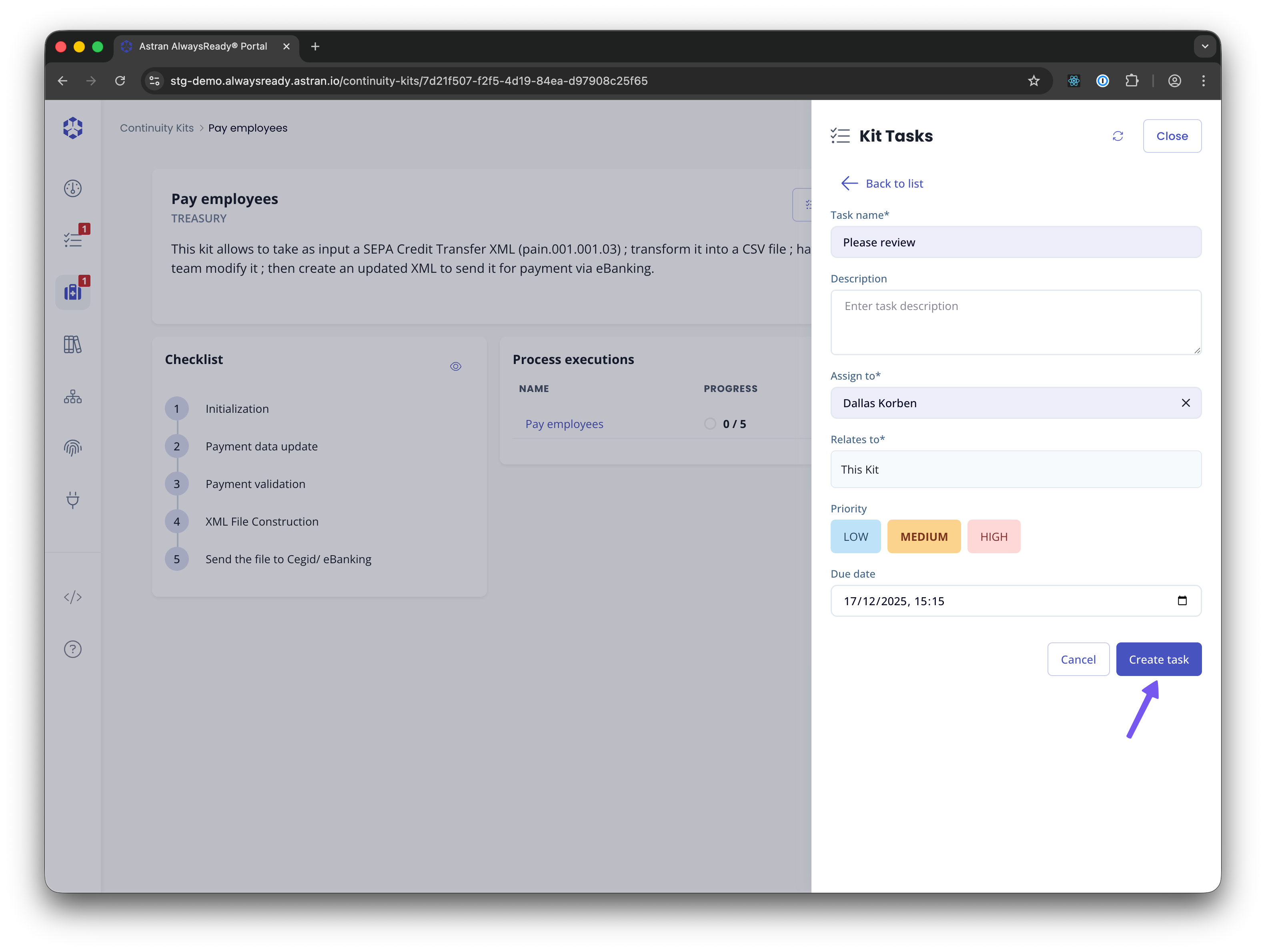
Step level tasks
Tasks can be created from a task by clicking on the "Tasks" icon and the "Create".

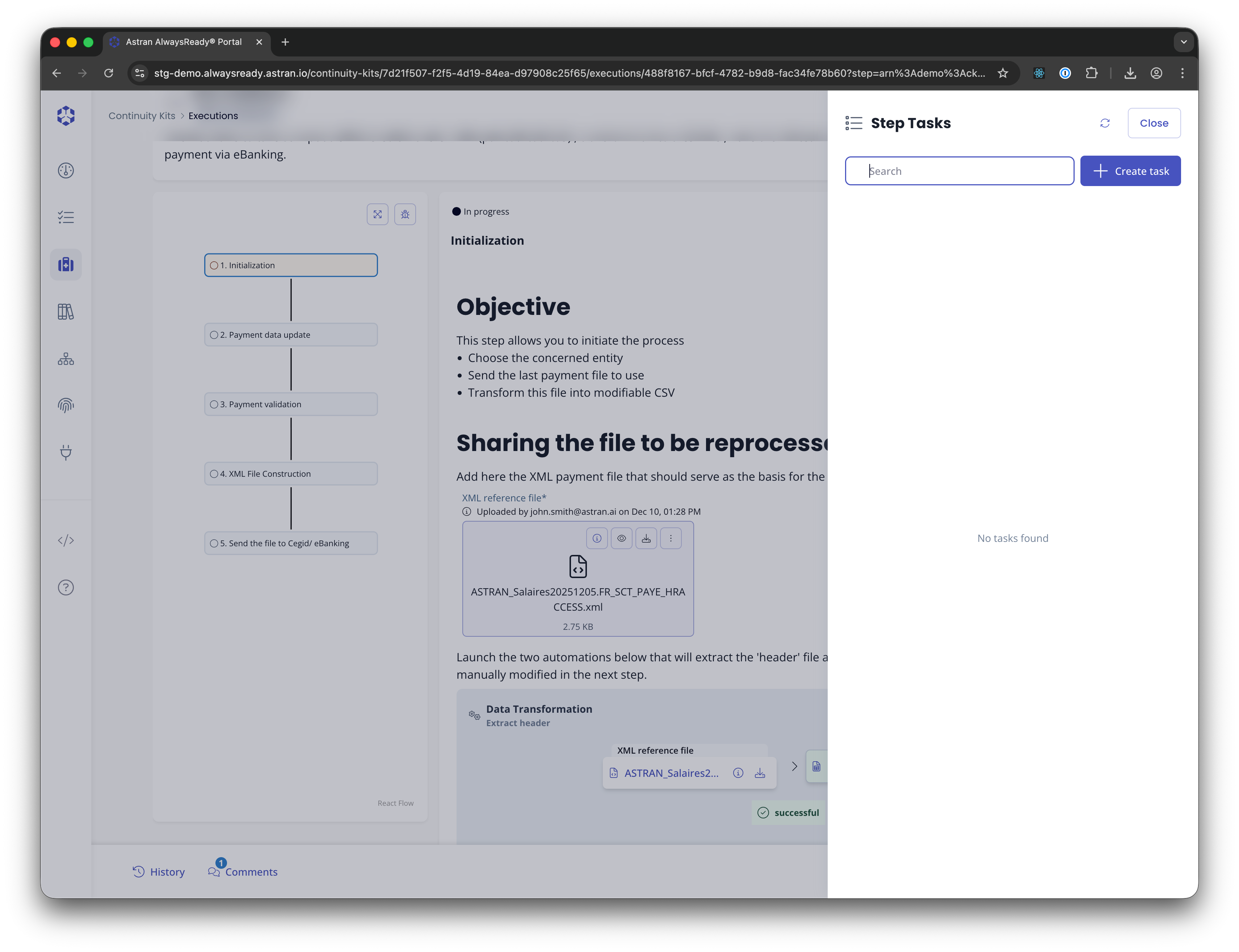
You can then fill the details of the task
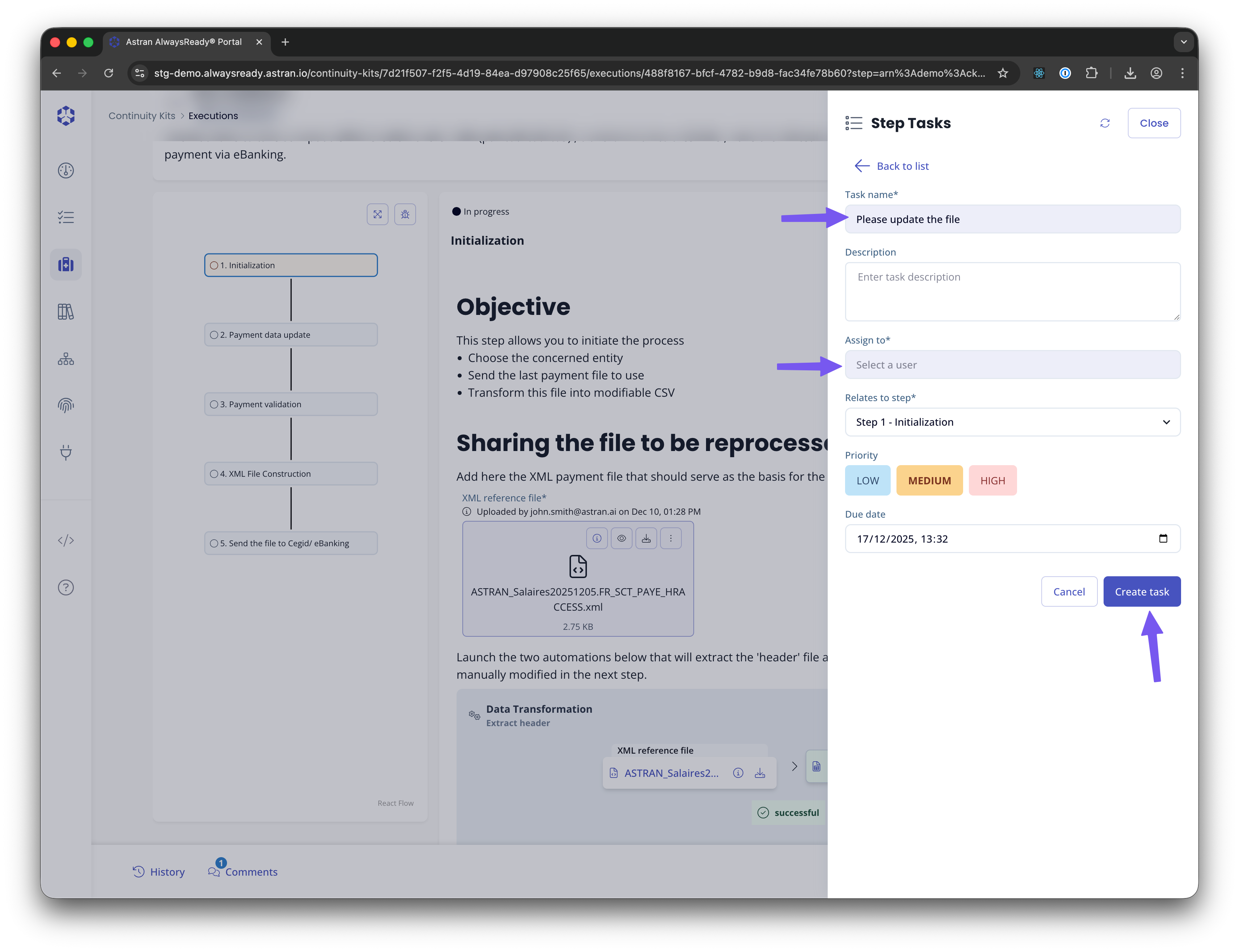
... which will appear in the list after creation

Listing tasks and viewing details
From the list of tasks - or from the "Tasks" tab in a kit overview, click on a specific task.

The details of the task will be shown in the next page.

Comments
You can add comments on the task. To do so, in the comments tab of the task details, write your comment in the text area and click the send button.
Reassigning a task
You can reassign a task by clicking on the assignee name and selecting another user.
Changing a task's status
You can change the status by clicking on the status name and selecting the status of your choice.
Deleting a task
You can delete a task by clicking on the More actions ("...") button and clicking on Delete A confirmation popup will appear for you to confirm your choice.