Crisis mode
ck:ManageCrisis. Without it, the crisis mode activation button is not available.
Step 2 of the activation wizard (deactivating API keys) additionally requires iam:ListAccessKeys to see the table of active keys, and iam:UpdateAccessKey to deactivate a selected one. Step 2 is skipped entirely, and the wizard goes straight from step 1 to activating crisis mode with no message telling you the step was skipped, in two independent cases: when you lack iam:ListAccessKeys, or when you simply have no active API keys.
Crisis mode is an emergency feature that triggers your organization's crisis response. When activated, it notifies all relevant users and switches authentication to a resilient, phone-based method designed to work even when your normal identity infrastructure is unavailable.
Activating crisis mode
The Launch Crisis Mode button appears in the top navigation bar when you have the ck:ManageCrisis permission. Click it to open the Start Crisis Mode modal, a 2 step wizard.
Step 1: reason and notifications
- Reason: a short description of the ongoing incident (required).
- Send notifications to users: checked by default. If checked, notifications are sent. Uncheck it if you wish to test your crisis procedures without alerting users.
Click Next to continue.
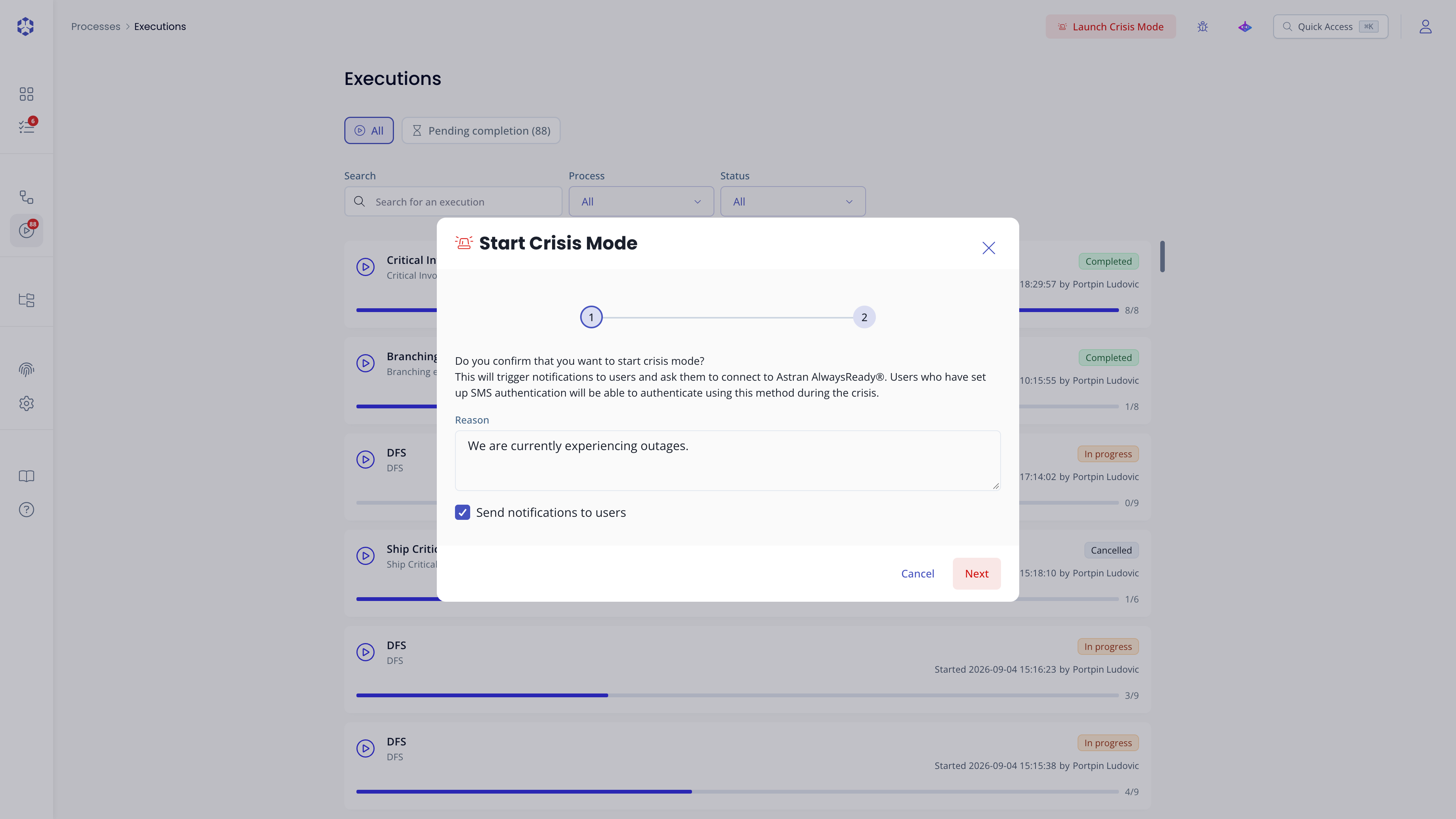 Start Crisis Mode, step 1: reason.
Step 2: deactivate API keys
Select the active API keys to deactivate for the duration of the crisis, listed with their API key ID and User. This is optional, no key is deactivated unless you check it.
Selected keys are not automatically reactivated when crisis mode ends. You must manually reactivate them afterward from API keys.
Click Back to return to step 1, or Start Crisis to confirm and activate crisis mode.
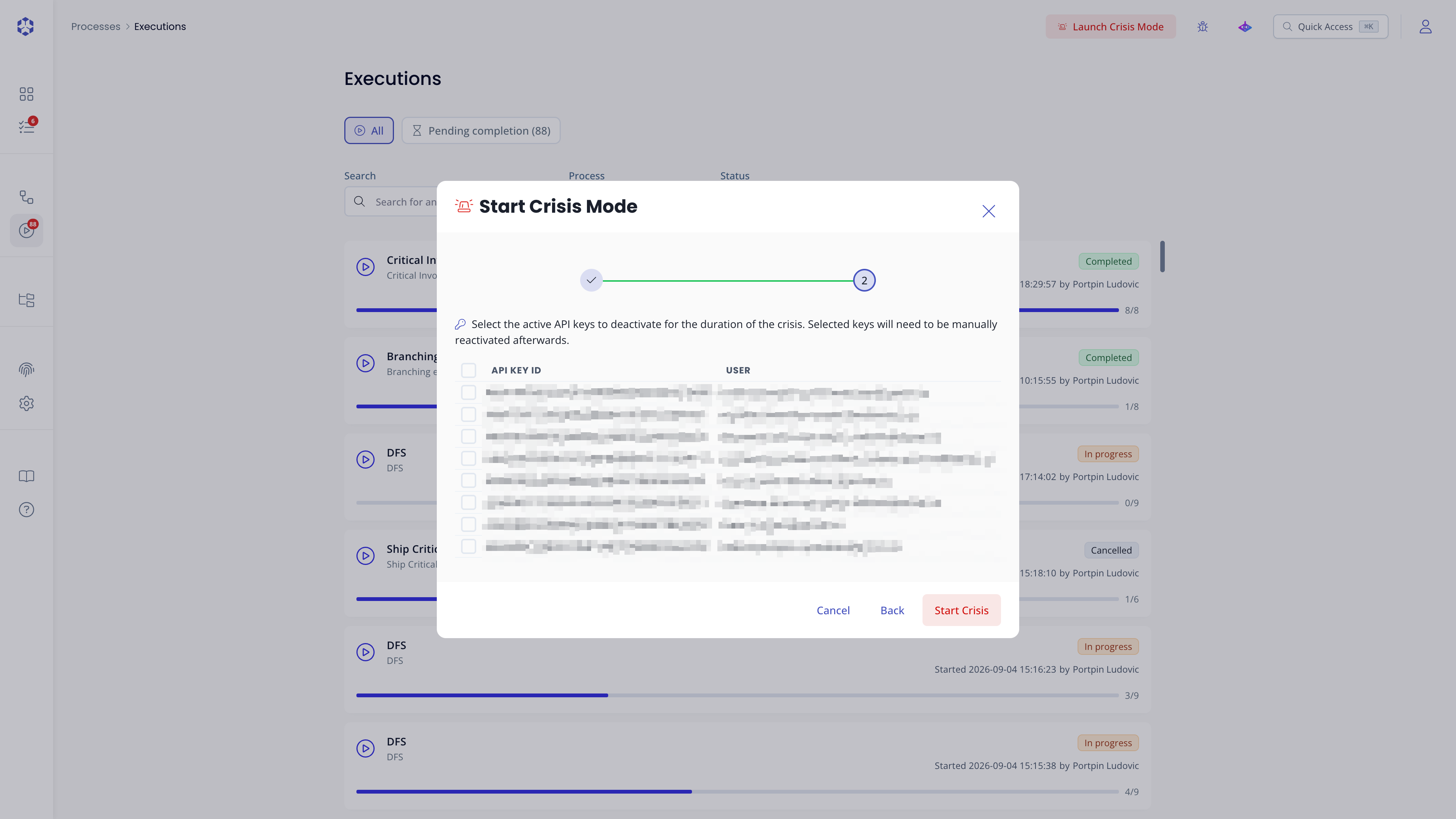 Start Crisis Mode, step 2: deactivate keys.
What happens on activation
When crisis mode is activated:
- Notifications are sent: in case
Send notifications to usersis checked, every user who has configured a phone number on their account receives an SMS and email alert asking them to connect to Astran AlwaysReady®. - Phone-based authentication becomes available: those notified users can sign in using a one-time code sent to their phone, without needing their regular password or identity provider. This is the primary authentication path during a crisis, designed to remain functional when your normal infrastructure is impacted.
- Selected API keys are deactivated: any key checked in step 2 stops working immediately and stays deactivated until manually reactivated, even after crisis mode ends.
Only users who have set up a phone number in their account are notified and can use phone-based authentication. Users without a phone number must use their standard credentials.
Phone numbers are configured in your account settings, accessible via your profile menu at the top-right of the portal.
During crisis mode
While crisis mode is active, the topbar button label changes to On-going crisis, and a new sidebar navigation entry, On going crisis, appears, making the state visible to all connected users.
Processes can be executed normally. The crisis dashboard only allows you to see the processes that are validated or simulated. Other process statuses can still be accessed from the Processes page.
Crisis mode does not change process permissions or execution behavior; it only affects how users authenticate.
Deactivating crisis mode
There are two ways to exit crisis mode:
- Click the On-going crisis button in the top navigation bar to open its modal, then click End crisis. No confirmation is required ; crisis mode ends as soon as you click it.
- Click the separate icon-only Exit crisis mode button. This path requires confirmation: click Yes, exit crisis mode to confirm.
Once deactivated, phone-based authentication is no longer available, the topbar button reverts to Launch Crisis Mode, and the On going crisis sidebar entry disappears.