Pending completion
The Pending completion tab on the Processes page lists all execution steps that are waiting for your action. A step appears here when you are designated as a Manager or Contributor on that step ; either directly or through a group you belong to.
Only steps from active executions are shown. Steps from completed, cancelled, or archived executions are excluded.
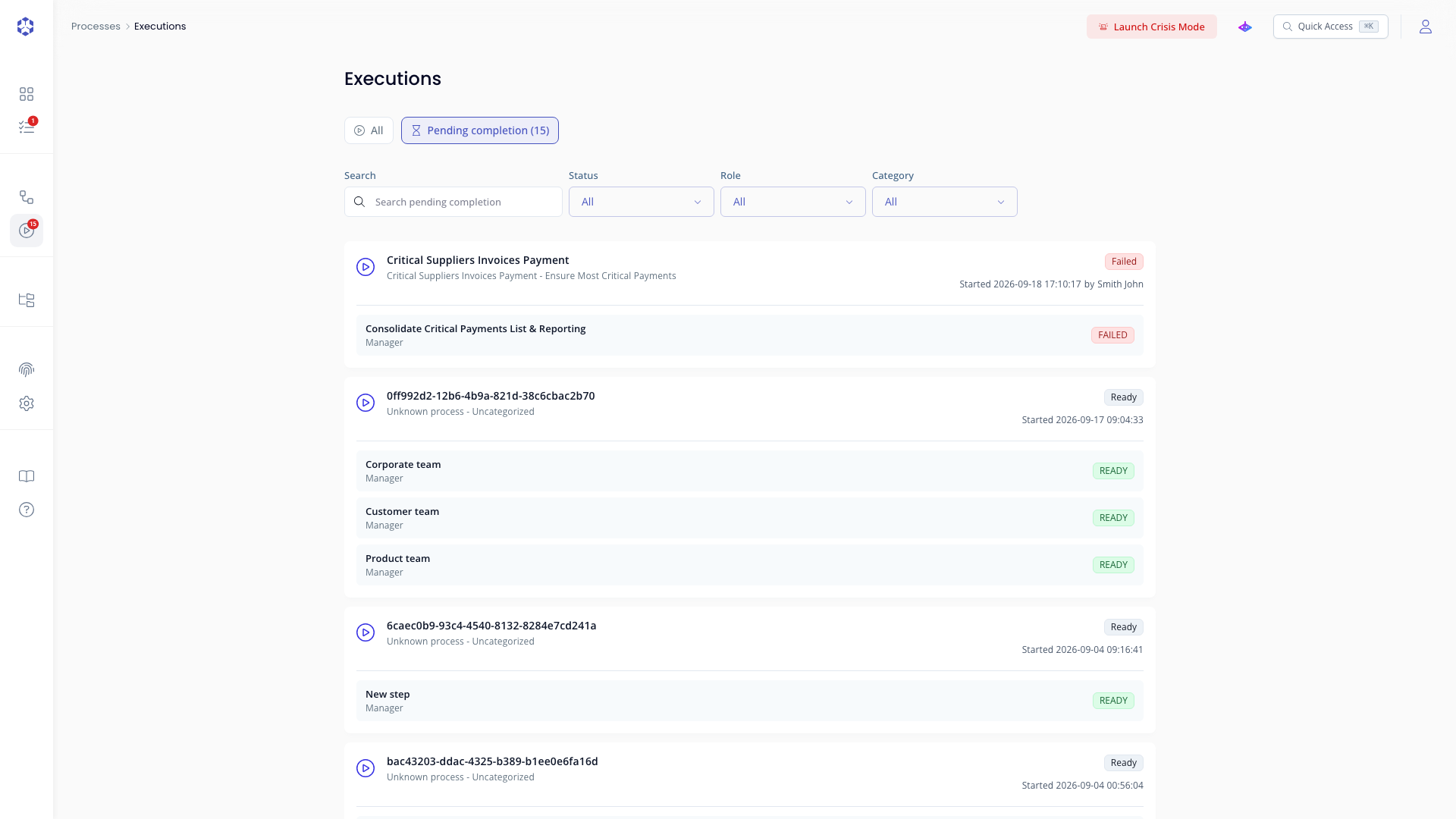 Steps pending completion, grouped by execution.
What each entry shows
Steps are grouped by execution. For each group:
- Execution name and the process it belongs to
- A status badge for the execution
- Started date and the user who launched it
For each step within the group:
| Field | Description |
|---|---|
| Step name | The name of the step awaiting action |
| Your role | Manager or Contributor |
| Status | Current step status |
Opening a step
Click any step row to navigate directly to that step inside the execution. From there you can complete the step, leave comments, or review its content depending on your role.
Filters
Use the filters at the top of the tab to narrow the list:
- Search: free-text filter across step name, role, and execution details
- Status: filter by step status
- Role: filter by your role on the step (Manager, Contributor)
- Category: filter by process category